
01
Make the connection.
Create your coach account and connect with clients using their coach code. They accept, and you’re ready to go.
Great coaching starts with understanding.
Bring your clients, programming, and progress into one focused workspace.
Keep the moving parts together, so your attention can stay where it belongs: on your clients.
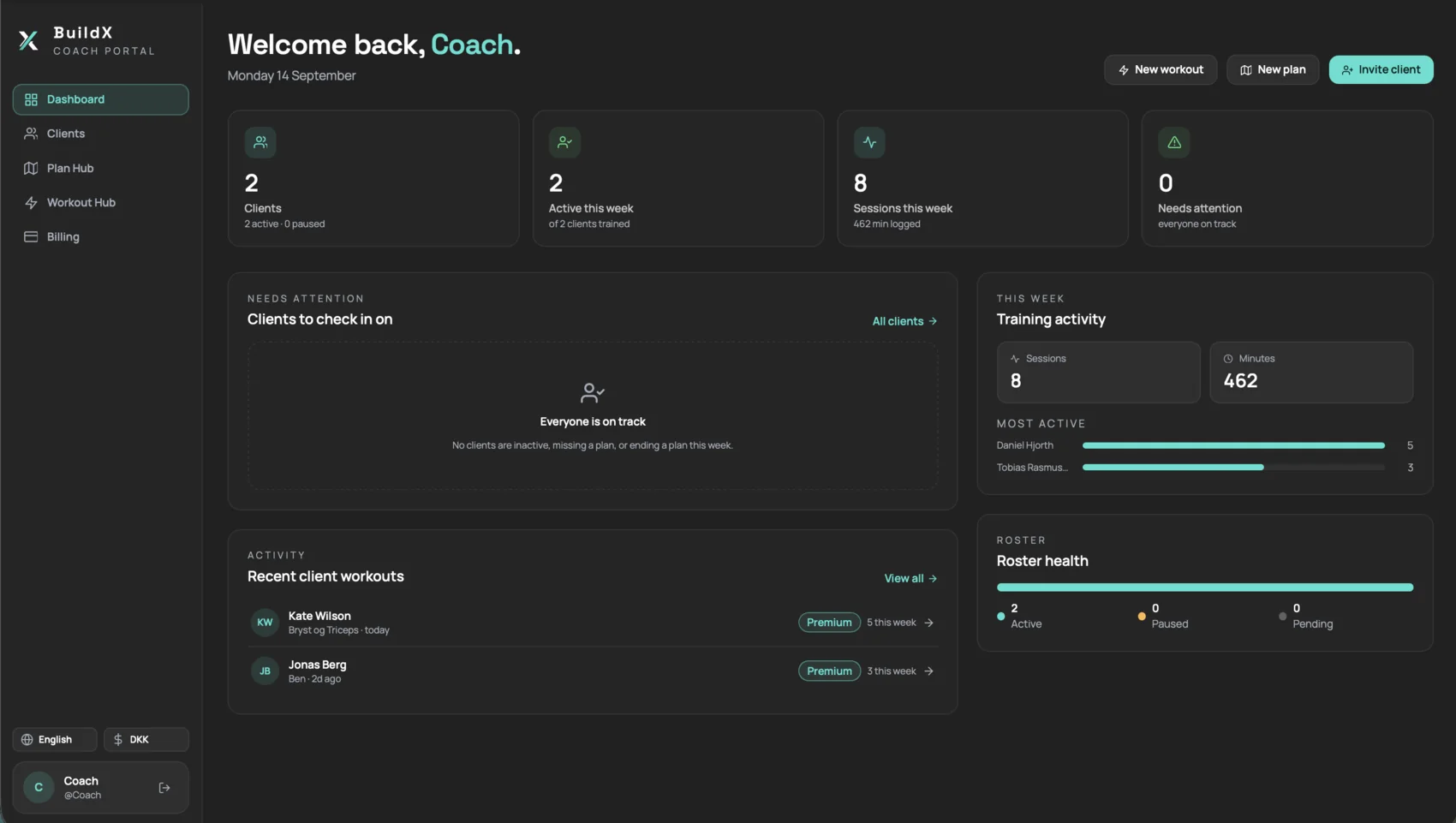
See who’s active, follow your clients’ training, and find the person who needs a closer look.
Build workouts, organize plans, and reuse what works. Give each client a clear path forward.
Bring session history, adherence, and shared health context into your next coaching decision.
The roster, the training log, the plan builder and the session analysis — as they are today.
Open the workspace and the week is already answered: how many clients trained, how many minutes they logged, and whether anyone has gone quiet.
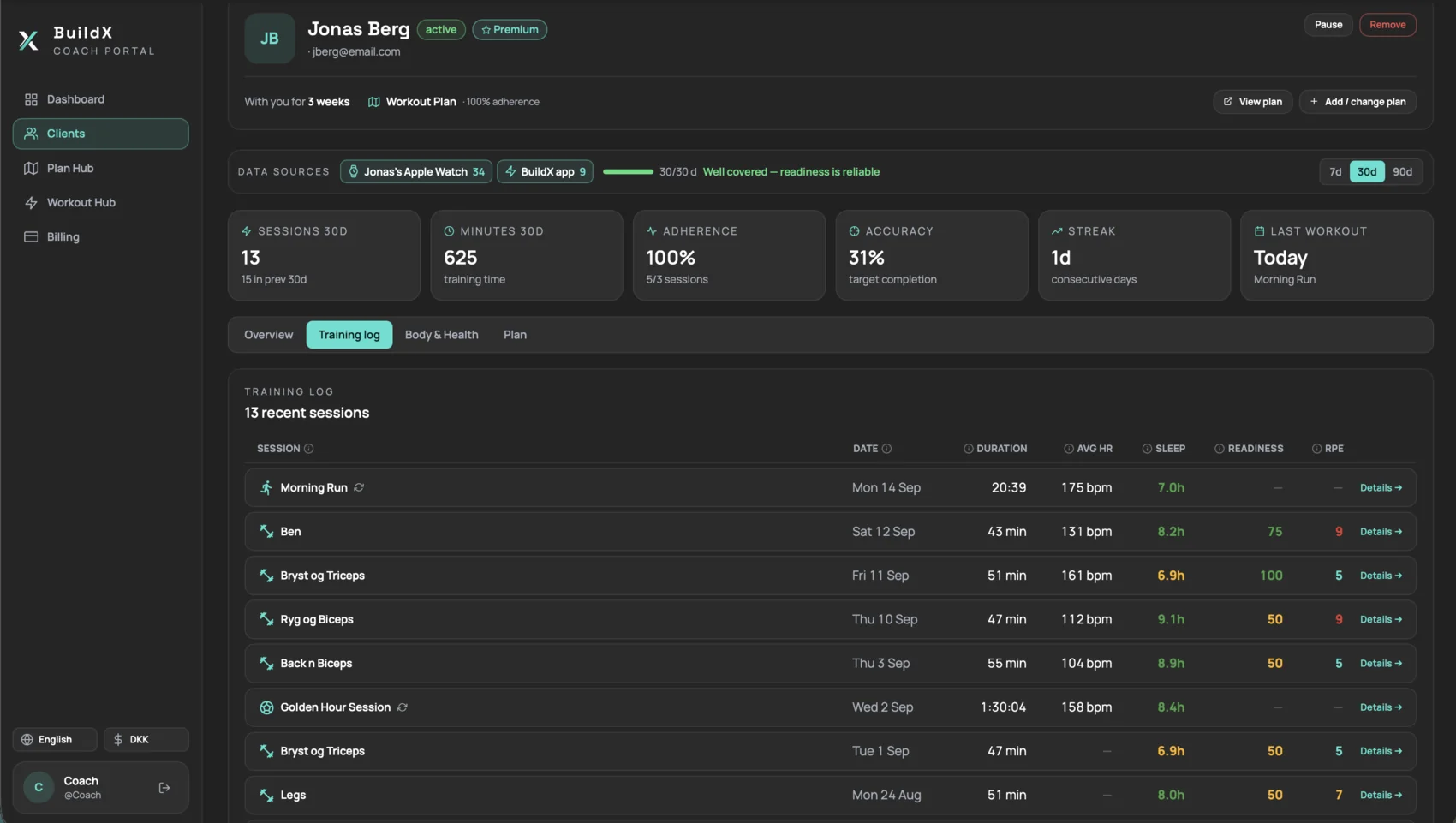
The full history for one client, with the context that tells you how a session actually went — not just that it happened.
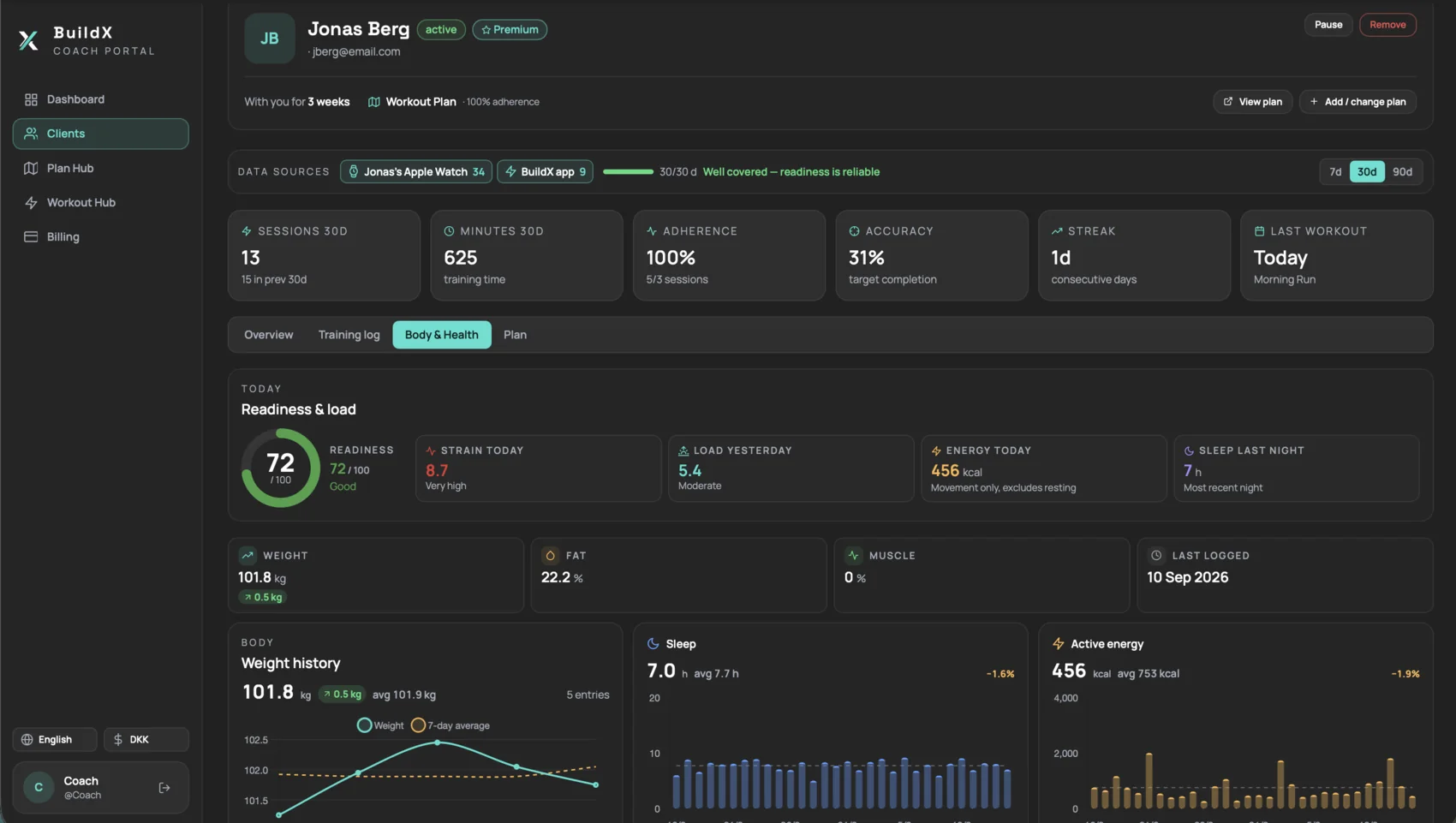
Recovery in context. See whether a hard week landed well or left them flat, as far as they have chosen to share.
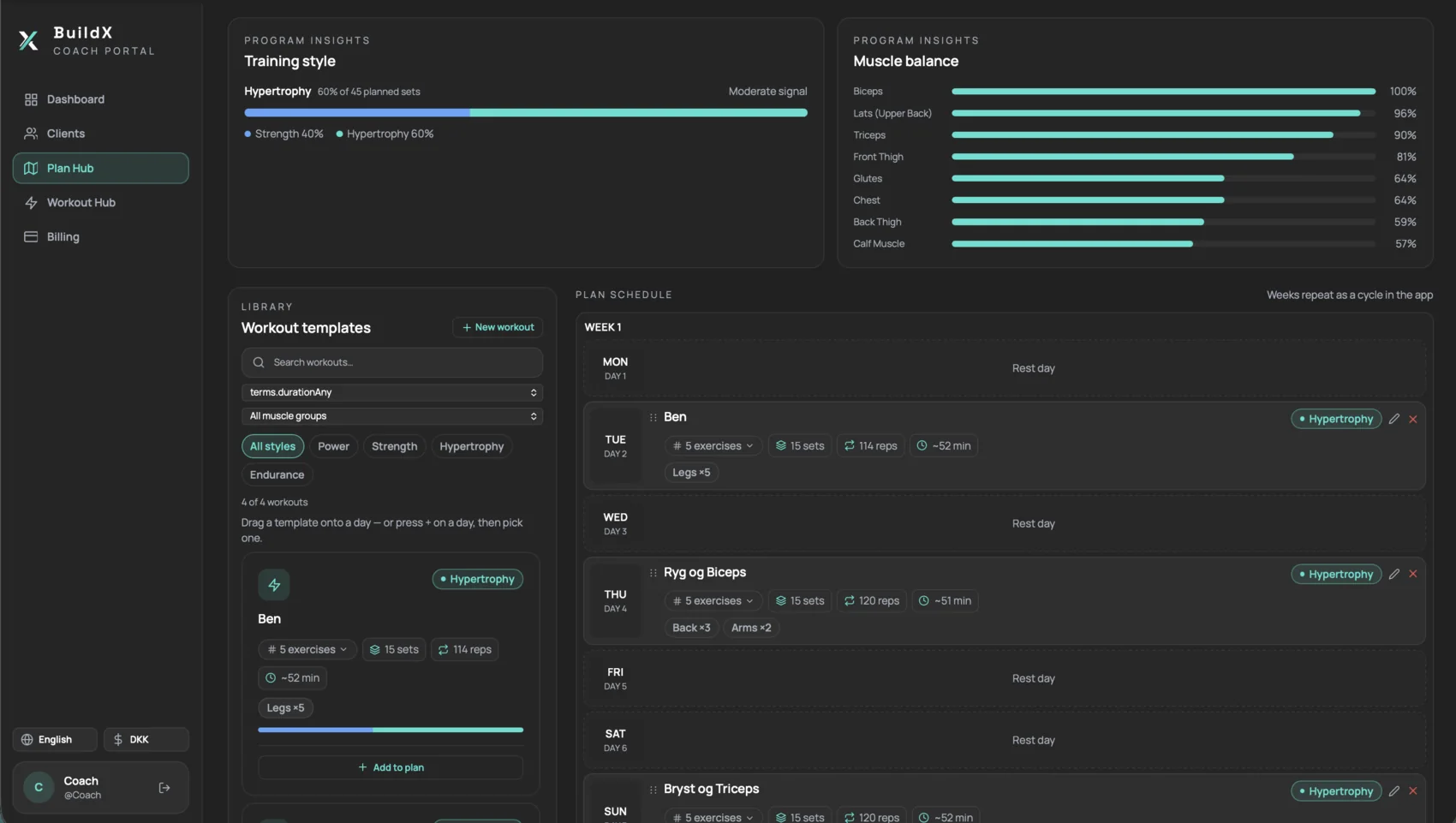
Drag a workout onto a day. The training style and muscle balance update as you build, so an unbalanced block is obvious while you can still fix it.
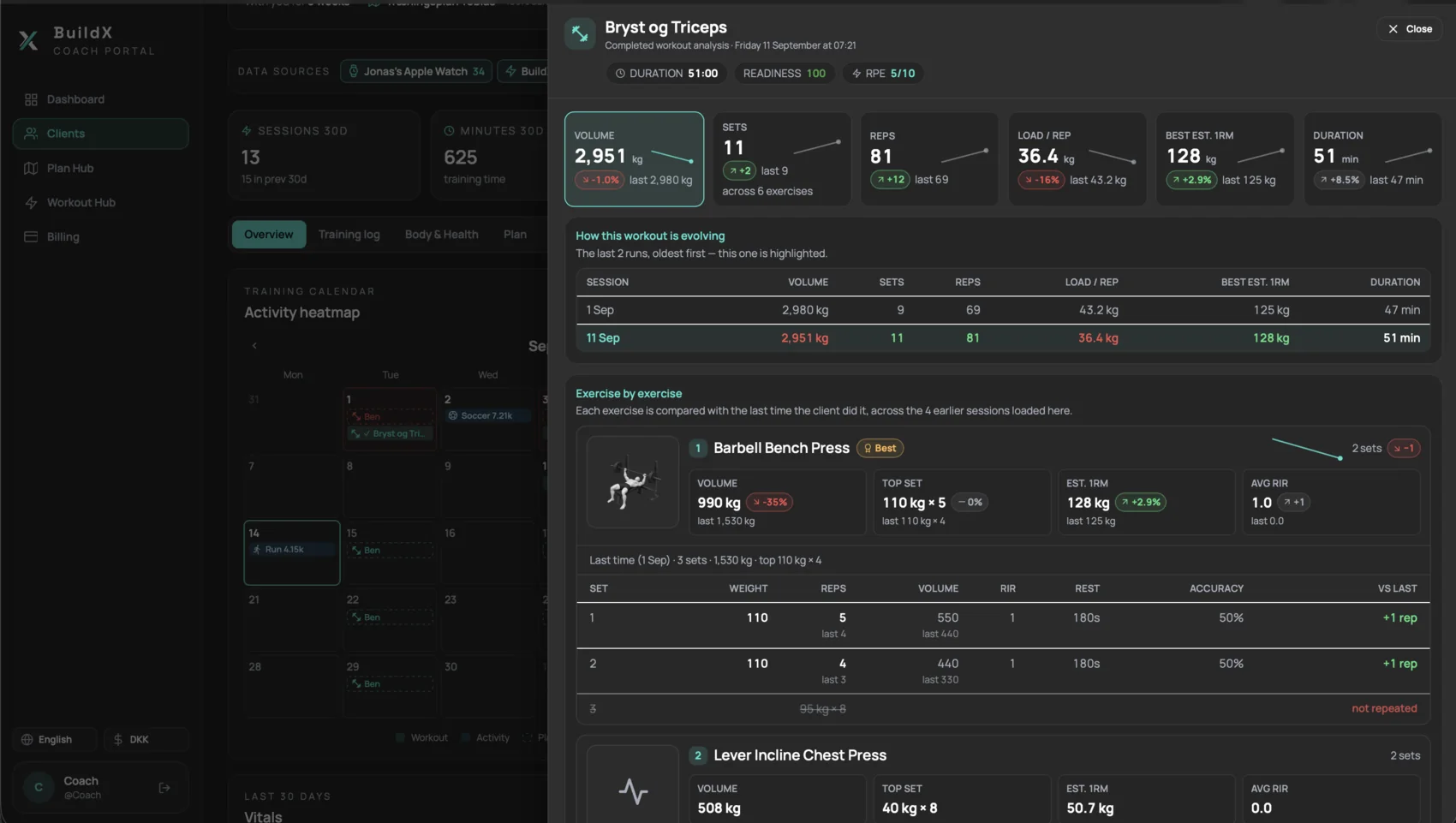
Open any completed workout and see what changed since the last attempt — down to the individual set.
A missed session. A new personal best. A week that felt harder than usual. See training in context, then bring the understanding that makes you their coach.
Create your coach account and connect with clients using their coach code. They accept, and you’re ready to go.
Create workouts, bring them into a plan, and assign programming your client can follow in the app.
Review what happened, understand the patterns, and adjust the next step together.
We’re here to help you get set up.
Talk to BuildX PerformanceClients connect with you through BuildX Performance using their coach code. Once they accept the connection, you can assign programming and review the training information they choose to share with you.
Yes. The workout and plan hubs let you organize your programming, build reusable workouts, arrange your training schedule, and assign plans to your clients.
Client profiles bring together training history, plan adherence, and shared readiness, recovery, and body metrics. The information available depends on what each client records and chooses to share.
You can create a coach account using “Create coach account” or sign in to your existing workspace. For help with setup, app access for clients, or questions about subscriptions, contact hello@buildx.fit.
Current subscription and client-seat pricing is available in the coaching platform’s billing section. You can also contact us before getting started to discuss what fits your coaching practice.
Bring it together in BuildX Performance Coach.